
Distinguish a Simple Voice Chat UDP port conflict from a game connection fault
Applies to: Simple Voice Chat; match the linked maintainer documentation to your installed platform and release.
Documentation checked .
Minecraft joining and voice audio use different tests. Simple Voice Chat sends audio over UDP, so a successful TCP connection to the game port cannot prove that its allocated voice port is reachable or unused.
Prepare the test
Identify the client mod, server implementation and allocated voice endpoint before changing audio settings. Keep Minecraft joining and voice transport as separate tests; success on one does not prove the other.
Make the change
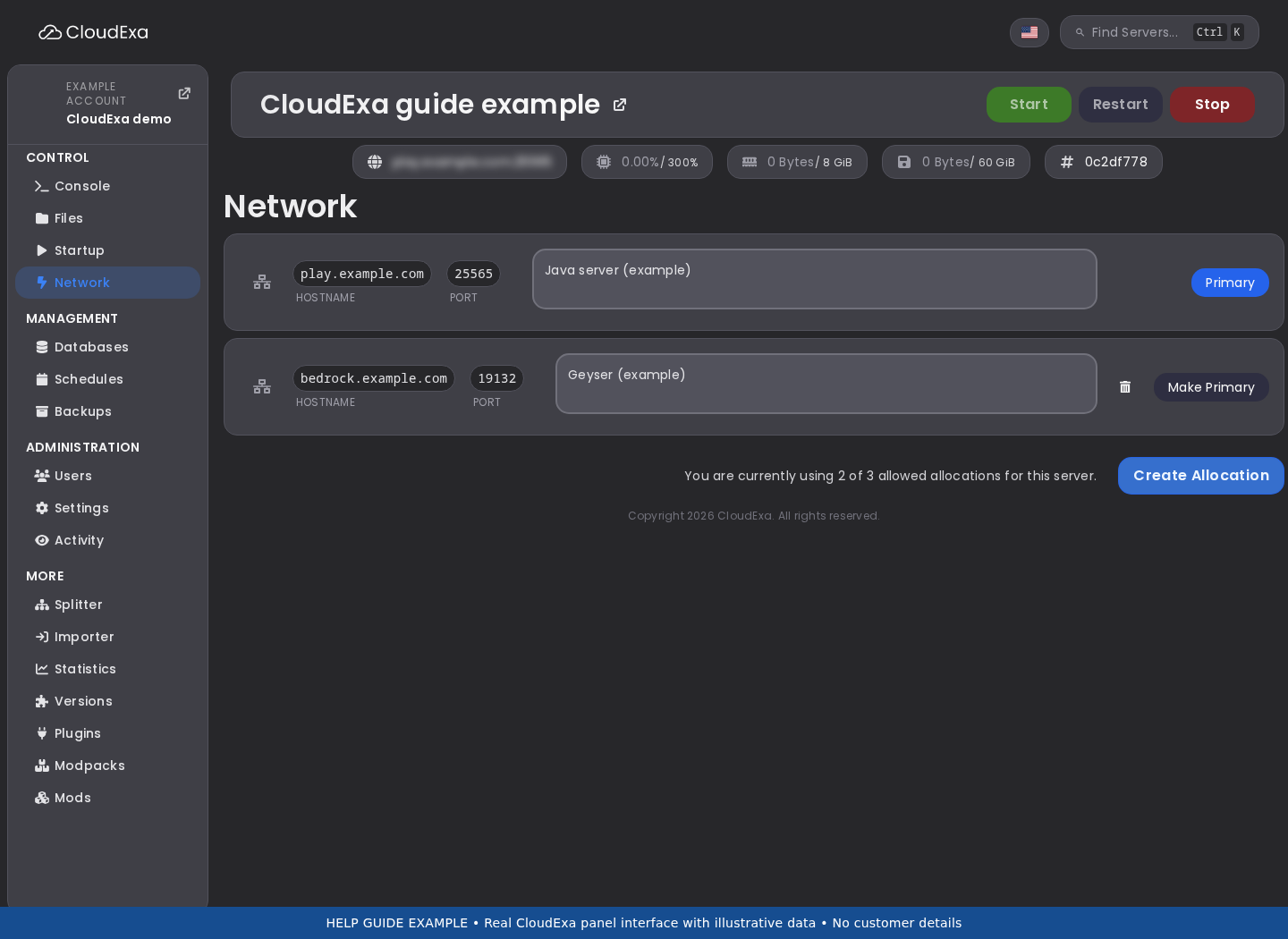
- Copy the service’s assigned voice allocation from the panel Network page and compare it with the configured voice port. Do not choose a new public port at random or assume the default number belongs to your container.
- Inspect startup for a bind or address-in-use error. Check whether another UDP feature, such as server query or another voice plugin, is configured on the same endpoint before changing the network or removing a plugin.
- Stop the server and preserve the voice configuration before correcting an allocation mismatch. Avoid
port=-1as an unexamined shortcut: the project warns that reusing the game port can conflict with its UDP query service. - Start normally and test from a compatible external client. Confirm ordinary Minecraft joining, voice initialisation and two-way nearby speech separately; record the endpoint and relevant timestamps if audio still times out.
Check the result
Startup should have no voice bind conflict, and two test players should hear each other through the assigned UDP endpoint. A TCP port checker or an online server-list status is not evidence that the voice transport passed.
If the test fails
Restore the prior setting if you changed the wrong service allocation. Ask CloudExa support to verify the assigned UDP mapping when the configured value matches but packets still fail, rather than opening unrelated public ports yourself.
Control actions such as group changes also use Minecraft networking. Keep that distinction in your report so a working group interface does not get confused with working UDP audio.
References and related help
Check the official Simple Voice Chat documentation against your installed release before using a command or setting from another version.
No comments to display
No comments to display