
Check DecentHolograms persistence before a planned restart
Applies to: DecentHolograms; match the linked maintainer documentation to your installed platform and release.
Documentation checked .
A display that returns to old text after a restart may not have saved the change where you expected. Test one known object and collect evidence before editing files while the server runs.
Prepare the test
Record the hologram name, world and location before editing. Match the command family to the installed release because newer display commands and older hologram commands can differ.
Make the change
- Record the display’s name, type, world, coordinates and a harmless changed line. Save a completed backup of its configuration through the game panel before the maintenance window.
- Follow the installed release’s documented editing and persistence workflow. Keep the server log from the edit through a normal shutdown, looking for file access or save errors rather than repeated renderer messages.
- Start the server using its normal panel control and compare the same object before issuing any corrective commands. Check the actual configuration copy if multiple plugin directories or old deployment files exist.
- Test the display with an ordinary viewer after the startup completes. Compare text, location, permissions and dynamic values so a visually present object does not conceal missing settings.
Check the result
The recorded edit should survive a clean stop and start without manual recreation. Keep the log timestamps and file location in the change record for the next maintenance window.
If the test fails
If the edit disappears, preserve both versions of the configuration and restore the known working state through a controlled stop. Check ownership, writable storage and the correct instance instead of repeatedly recreating the public display.
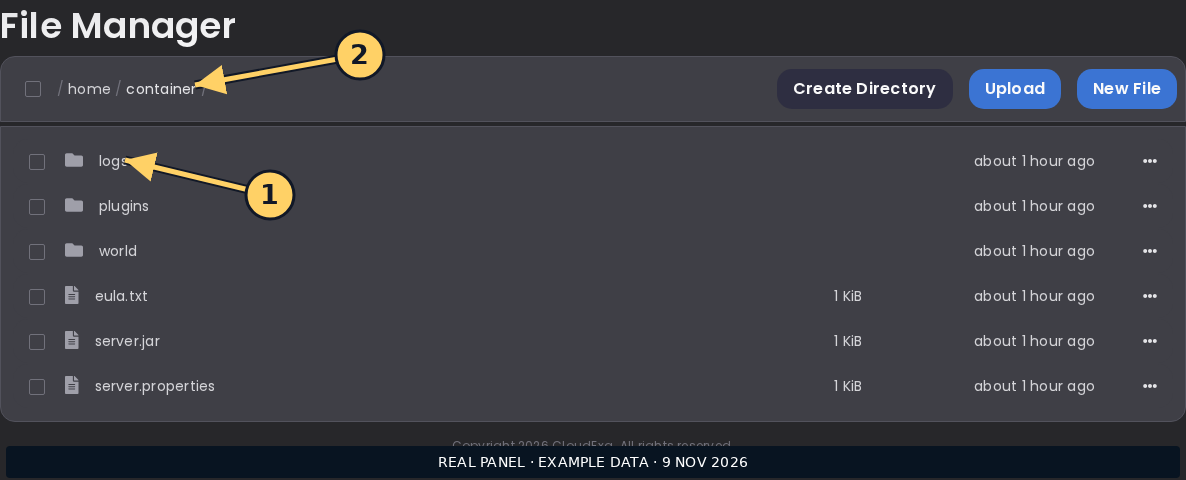
The game panel file screenshot shows where to inspect server files; it does not show a DecentHolograms editing interface.
References and related help
Check the official DecentHolograms documentation against your installed release before using a command or setting from another version.
No comments to display
No comments to display