
Connect a domain to your Minecraft server
You can give players an address such as play.example.com instead of a numeric IP. You need access to the DNS provider for your domain and the connection address shown in your CloudExa game panel. A domain changes how players find your server; it does not create a new port allocation.
Check the server address first
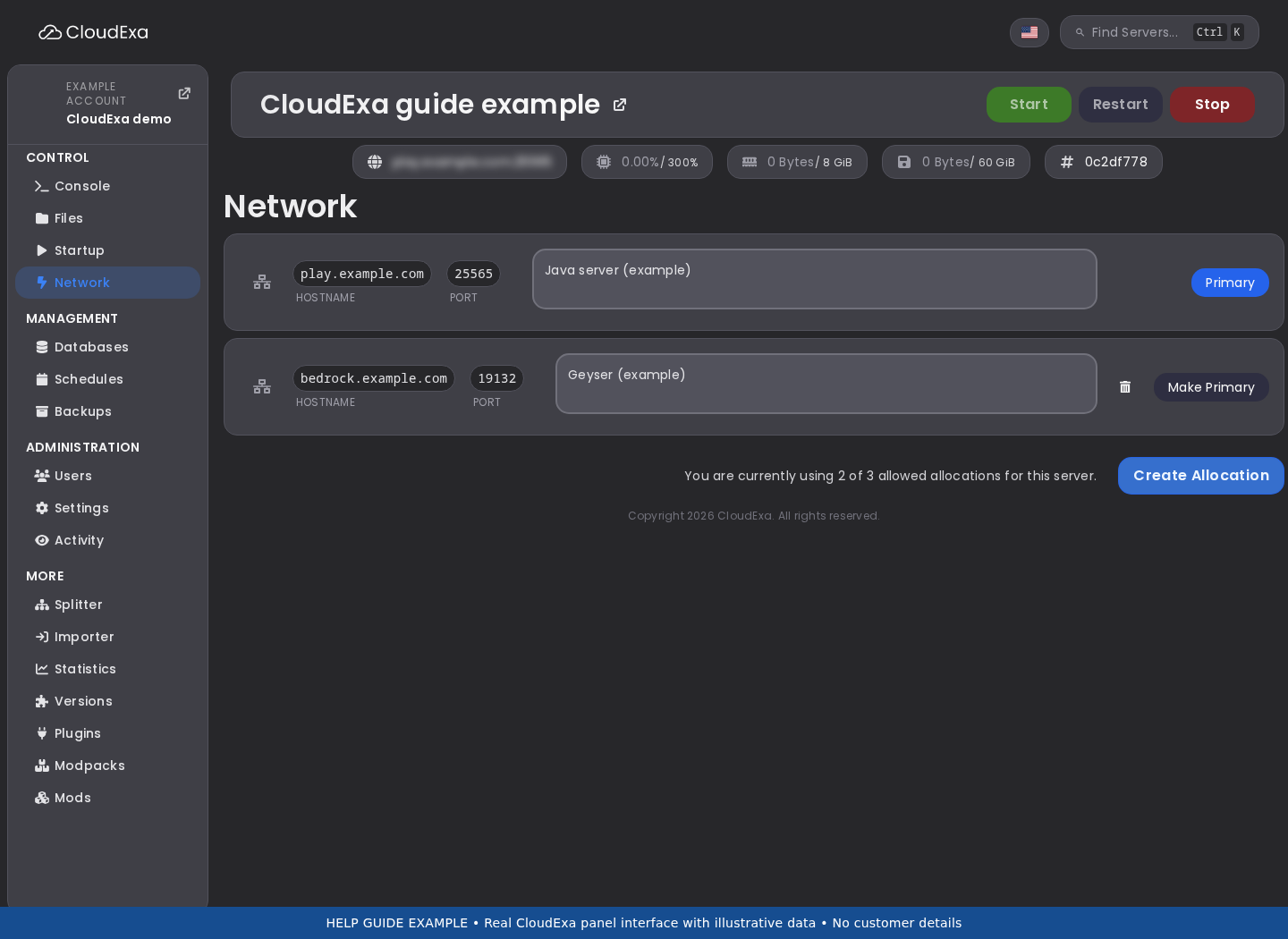
- Open your server in the game panel and select Network.
- Copy the assigned IPv4 address and Java port. If you offer Bedrock crossplay, also record the separate Geyser port from its configuration and allocation.
- Join with the numeric IP and correct port before editing DNS. Fix a failed direct connection first, since DNS cannot make an unreachable server work.
The addresses and ports below are examples. Replace 203.0.113.10, 25570 and 19132 with your own values.
Add the address record
At your DNS provider, create an A record with name play and value 203.0.113.10. Enter only the IPv4 address in the value field, without a colon, port or https://. Keep the existing records for your website and email.
If you use Cloudflare, set the game hostname to DNS only, shown as a grey cloud. The standard website proxy does not carry ordinary Minecraft connections. Do not add an AAAA record unless your service has a working assigned IPv6 address.
Let Java players omit a custom port
Java normally uses port 25565. If your assigned port is different, players can enter play.example.com:25570. To let them enter just play.example.com, add an SRV record:
| Field | Example value |
|---|---|
| Full record name | _minecraft._tcp.play.example.com |
| Target | play.example.com |
| Port | 25570 |
| Priority | 0 |
| Weight | 0 |
Some providers split the name into Service, Protocol and Name fields. Use _minecraft, _tcp and play in that case. Check the resulting full name to avoid adding your domain twice. The target must be a hostname with its own address record, not an IP address or URL.
Give Bedrock players both fields
Verify the change
On Windows, macOS or Linux, check the records with these commands if you have nslookup available:
nslookup play.example.com
nslookup -type=SRV _minecraft._tcp.play.example.com
Confirm that the first result contains your assigned IP and the second contains your Java port and target. Existing DNS caches may retain old values until their TTL expires. Test both the direct address and domain. If only the domain fails, send support the hostname, record results and edition you tested; never send your DNS account password.
Reference: DNS record types, Cloudflare proxy status and Geyser connection FAQ.
No comments to display
No comments to display