
Install plugins on a Paper or Purpur Minecraft server
AddUse server-sidethis pluginsguide throughto install a Paper or Purpur plugin, check that it works and find the CloudExacause filewhen manager.it fails. Start with one plugin at a time so you can tell which change caused a problem.
Check the plugin'plugin before downloading
Read the developer's release pagepage. forMatch the plugin to your Minecraft version, server software, Java requirementsoftware and dependenciesJava beforeruntime. downloadingA it.
Choosemay theoffer rightseparate download
downloads Paperfor Paper, Velocity and Purpur run compatible server plugins.Fabric. A Fabric, Forge or NeoForge mod iswill not work as a differentPaper kindplugin. of file and does not become a plugin when you place it in the plugins folder. Some projects publish separate builds for Paper, Velocity and other platforms. Select the build for your game server.
Download fromUse the developer's official site or project listing. Plugin code can read and change your server files, solisting; avoid cracked downloadsJARs orand files sent by strangers.
Check the dependency list too. Some plugins need another plugin before they can start. Keep licencethe informationprevious working JAR and aconfiguration copy ofoutside the versionactive youplugins replacefolder if you may needintend to roll back.
Install theor update a plugin
OpenSignyour serverin at game.cloudexa-hosting.com, select the correct server and create a backup. Export any external database that the plugin uses.StopOpen Console, stop the serverthroughConsoleand wait forthe shutdownit tofinish.finish saving.- Open
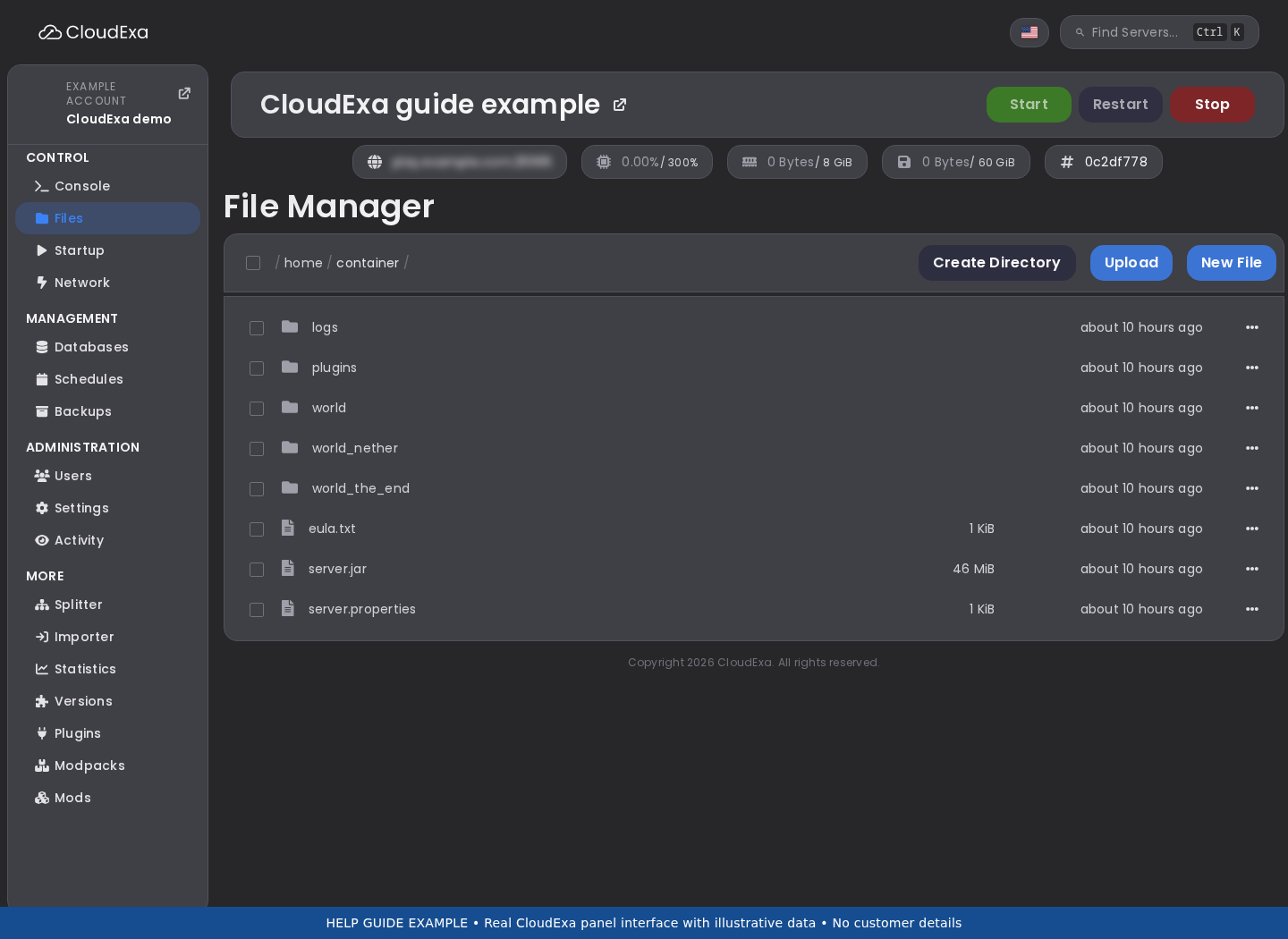
FileFilesManager, thenand thepluginsfolder.IfConfirmthethatfolder does not exist, confirm theyour serverusesruns Paper or Purpurbeforeifcreatingthatit.folder is missing. - Choose Upload and
uploadselect the plugin's.jarfile.. Ifitstheauthordownloadsuppliesis a ZIP,extract it on your computer and followinspect the author's instructionsforandwhichupload the correct JARtofrominstall.it. InstallUpload any requireddependencies in the same way.dependency. When updating, move theoldprevious versionout of the activeoutsidepluginsfoldersothattheyouserverdoloadsnotoneload two versions.copy.- Start the
serverserver.andReadreadtheitsfirst startuplog.messagesInfor theconsole,plugin, then runpluginsin Console without a leadingslashslash.
Configure it and test itas a player
Many plugins create a folder insidein plugins onafter their first start. ReadStop the author's configuration guideserver before editing it.its Keepconfiguration unless the author gives a supported alternative. Preserve YAML indentation and avoiduse pastingspaces tabsinstead intoof YAMLtabs. files.Save Restartyour afterchanges, changesrestart, unlessand test the authorfeature documents a specific safe reload command.
Usewith a normal player account to check permissions as well as an administrator account.
A plugin can loadappear in the list while itsa databasedatabase, connectionpermission or permissionsoptional feature still needfails. attention. TestCheck the featureaction you installed it forfor. beforeUse changingthe anotherauthor's plugin.documented reload command only where supported; Minecraft's general /reload command can leave plugins in an inconsistent state.
IfFind itthe failsfirst touseful loaderror
Open logs/latest.log through Files, or follow the log collection guide. Read from the start of the failed plugin's loading sequence. Later errors can follow from the first failure.
- Missing dependency: install the named dependency
fromand check itsofficialsupportedsource.version. - Unsupported API or Java version: compare the plugin
releaserequirements with theversionserver and Java versions inyourthe startup log.AskChanging a world to an older Minecraft version can damage it; ask support beforechangingattempting that. - Invalid configuration: check the
serverfileruntime.and line named in the error. Compare your edits with the author's example, keeping a copy before changing it. - Database
timeout:timeout or login failure: check the databasehost,endpoint, port,credentialsdatabase name and allowed connections.KeepShare error text through a private ticket, with passwordsout of public screenshots.removed. ServerDuplicatestopspluginafterorinstallation:version conflict:stopinspectit,the folder for old JARs and check the developer's compatibility notes.
Roll back a failed installation
Stop the server and move the new JAR outside plugins,. Keep its data and logs. Start again and compare the next startup with yourthe previous working setup.state. PreserveA plugin update may also change its database or data files, so restoring an older JAR alone may not undo the log.change.
SendContact support with the plugin name, download source,link, version and relevantfirst logerror lines.before Do not use Minecraft's general /reload command asrestoring a substitute for a restart.backup.
Further reference:Reference: Paper's plugin installation guideand troubleshooting documentation.