Investigate a LiteBans database connection failure without losing history
A database connection error does not mean punishment history is gone. Preserve the existing database and inspect connectivity before changing storage type or allowing players around active restrictions.
Follow the procedure
- Capture the first LiteBans startup error and its timestamp from the game console. Remove passwords and connection tokens before sharing the log with support.
- Run the read-only
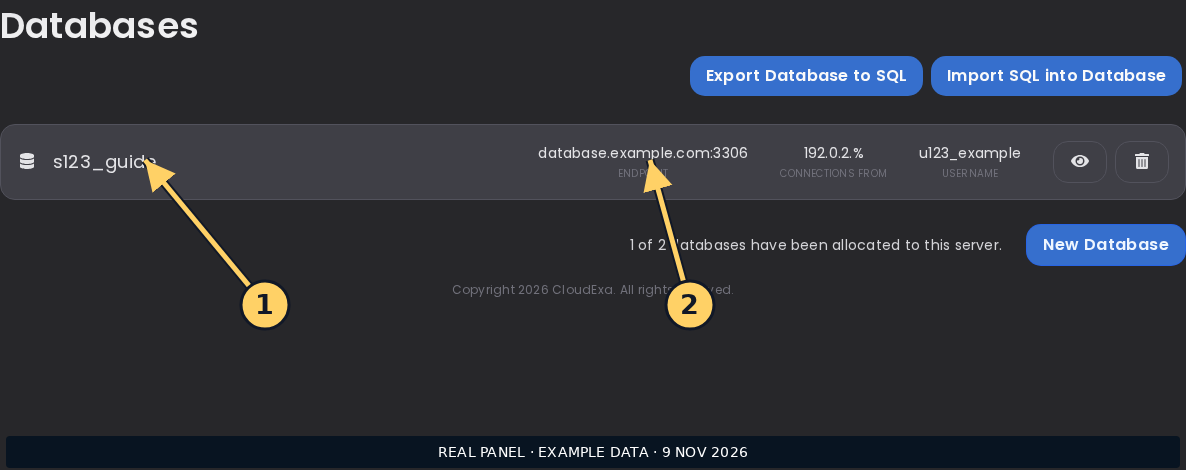
/litebans infocommand when available and record the reported pool state. Distinguish authentication failures from DNS, connection timeout and schema errors. - Compare the configured database host, port, database name and username with the panel’s database details. Check which source host is allowed to connect without opening the database publicly.
- Have the database administrator verify service health and the existing schema. Take a consistent database backup before any migration or schema repair, including the current configuration.
- Correct only the identified connection detail. Use the installed release’s supported reload procedure, noting that
/litebans reloadreconnects the database and can briefly change availability. - Query a known historical record and a current trial restriction after reconnecting. Confirm both persisted data and current enforcement before marking the incident resolved.
Check the result
The original database should reconnect and return known punishment records with their previous identifiers and dates. A clean startup alone is insufficient if the plugin has accidentally connected to a new empty database. Compare several established records before resuming routine moderation.
If the result is wrong
If the connection still fails, restore the prior connection configuration and retain the first error for support. Do not reset tables, switch to an empty database or run an upgrade command repeatedly without a matching recovery plan. Database errors require preserving evidence, not erasing it.