MythicMobs tasks
Task guides and troubleshooting for MythicMobs. Check the installed release before changing configuration or data.
- Fix a MythicMobs skill that never fires on attack
- Choose the right MythicMobs target for a healing skill
- Stop a MythicMobs timer skill from overwhelming an arena
- Separate MythicMobs custom drops from vanilla loot
- Diagnose a MythicMobs boss bar that disappears during combat
- Keep a MythicMobs spawn skill from duplicating its passengers
- Check MythicMobs conditions before a reward skill runs
- Trace a MythicMobs skill reference across several files
- Test MythicMobs equipment without changing live boss loot
- Keep MythicMobs test summons inside an arena boundary
Fix a MythicMobs skill that never fires on attack
An attack skill can load without running when you expect it. Separate the mob definition, attack trigger and skill reference before changing damage or adding extra timers.
Check the installed content
MythicMobs separates mob definitions, skills, targeters and triggers. Keep the internal IDs stable while testing a behaviour change; changing a display name does not require replacing the mob ID. Use documentation for your installed MythicMobs release.
Work through the change
- Make a copy of the affected mob and its referenced skill under new test IDs. Remove unrelated skills from that copy so the result belongs to one trigger.
- Check the attack trigger against the installed-release reference: onAttack is the mob attacking, while onDamaged is the mob receiving damage. Confirm the named skill exists with matching spelling and case.
- Give the test skill an observable harmless action supported by your release, such as a message. Keep damage, summons and command rewards out of this first test.
- Spawn one test mob in an enclosed area and let it attack an ordinary test player. Separately have the player hit the mob as the damaged-event control, recording who attacks and sees the diagnostic action.
Verify the result
The diagnostic action should run for the intended attack event, once per expected occurrence. Add the original skill actions back one at a time and repeat the same encounter after each addition.
If the result differs
If the action never appears, read the first load error and inspect any conditions on the skill line. If it appears on the wrong participant, investigate the targeter rather than duplicating the trigger.
Keep a recovery path
Remove the test mob and restore the original definition if the encounter becomes noisy. Keep the modified skill out of production until the harmless test works; restarting a server does not repair a misspelled skill reference.
References and related help
Check the maintainer reference: MythicMobs documentation, MythicMobs documentation.
Before changing live data, read how to keep a completed recovery copy. For startup errors, use the log collection guide.
Choose the right MythicMobs target for a healing skill
A healing skill that repairs the wrong mob usually needs a target check. Test the target selection with healthy and injured entities before changing the heal amount.
Check the installed content
MythicMobs separates mob definitions, skills, targeters and triggers. Keep the internal IDs stable while testing a behaviour change; changing a display name does not require replacing the mob ID. Use documentation for your installed MythicMobs release.
Work through the change
- Record whether the design should heal the caster, the triggering attacker or a nearby ally. These are different targets and may require different targeters.
- Copy the skill to a test ID. Select a targeter from the maintainer list for the installed release, including its range or filter only where the reference supports it.
- Place one injured ally, one healthy ally and an unrelated entity in a bounded test area. Keep the test heal small enough that you can see which health value changes.
- Trigger the copied skill once and inspect the selected entities. Repeat with the intended target outside the range, then with no eligible ally present.
Verify the result
Only the intended eligible target should receive the heal. A no-target case should finish without affecting unrelated mobs, and increasing the range should not silently change your intended selection rule.
If the result differs
If several entities heal, check whether the chosen targeter returns a set rather than one entity. If nothing heals, inspect the condition and target filters separately; a valid targeter cannot override a failed condition.
Keep a recovery path
Restore the previous skill line and retain the test layout for comparison. Do not deploy a large repeated heal while selection remains unclear, because it can make an encounter impossible to finish.
References and related help
Check the maintainer reference: MythicMobs documentation, MythicMobs documentation.
Before changing live data, read how to keep a completed recovery copy. For startup errors, use the log collection guide.
Stop a MythicMobs timer skill from overwhelming an arena
A timer that summons entities or emits effects can multiply load during a long fight. Measure one mob first and set a deliberate event budget for the arena.
Check the installed content
MythicMobs separates mob definitions, skills, targeters and triggers. Keep the internal IDs stable while testing a behaviour change; changing a display name does not require replacing the mob ID. Use documentation for your installed MythicMobs release.
Work through the change
- Copy the affected mob to a staging definition with natural spawning disabled. Record the timer interval, actions per activation and number of mobs the arena normally allows.
- Estimate activations over one minute using the timer units documented for your release. Include nested skills and summoned mobs that can start their own timers.
- Increase the test interval or reduce actions per activation, changing one setting at a time. Avoid solving the problem by killing unrelated world entities.
- Run a timed encounter with one mob, then the planned maximum. Count surviving summons and compare server timing evidence with the same arena while the skill is disabled.
Verify the result
The number of skill actions should remain bounded over the complete fight, including periods when no player can finish it. Confirm that remaining summons have an intentional end or despawn path.
If the result differs
If load keeps rising after the caster dies, inspect skills on its summons and persistent scheduled actions. If the count grows only near several players, test target-dependent multiplication before increasing server resources.
Keep a recovery path
Restore the previous definition only if it is safe at the old arena capacity. Otherwise keep the encounter unavailable while you reduce its scope. Keep the world save before testing summoning changes.
References and related help
Check the maintainer reference: MythicMobs documentation, MythicMobs documentation.
Before changing live data, read how to keep a completed recovery copy. For startup errors, use the log collection guide.
Separate MythicMobs custom drops from vanilla loot
Unexpected extra loot can come from the base Minecraft entity as well as your custom drop list. Compare both sources before reducing every reward on the server.
Check the installed content
MythicMobs separates mob definitions, skills, targeters and triggers. Keep the internal IDs stable while testing a behaviour change; changing a display name does not require replacing the mob ID. Use documentation for your installed MythicMobs release.
Work through the change
- Choose one test mob type and write down its expected custom reward, quantity and probability. Include whether ordinary vanilla drops should remain.
- Inspect the mob drop definition and the installed-release options controlling other drops. Check any referenced drop table for additional entries or nested rewards.
- Create a staging variant with a small deterministic custom reward. Kill it through the same method players use, since a player kill and environmental death may have different conditions.
- Count each output type across a recorded set of test kills. Repeat with the custom reward removed from the test definition to identify the vanilla contribution.
Verify the result
The observed item types should match the design, including the intentional vanilla portion. A rare drop needs enough samples to assess probability; one successful kill cannot prove a percentage.
If the result differs
If rewards double, inspect plugins that also reward that entity type and skill actions that give items on death. A second reward path can coexist with a correct drop table.
Keep a recovery path
Restore the prior drop definition if the trial changes progression. Remove only expendable test rewards and record any distributed items; changing a drop file does not retrieve loot already given to players.
References and related help
Check the maintainer reference: MythicMobs documentation, MythicMobs documentation.
Before changing live data, read how to keep a completed recovery copy. For startup errors, use the log collection guide.
Diagnose a MythicMobs boss bar that disappears during combat
A boss bar can disappear while the entity remains alive. Check its visibility rules and encounter transitions before replacing the mob or resetting the arena.
Check the installed content
MythicMobs separates mob definitions, skills, targeters and triggers. Keep the internal IDs stable while testing a behaviour change; changing a display name does not require replacing the mob ID. Use documentation for your installed MythicMobs release.
Work through the change
- Record the boss internal ID, entity health and whether all players lose the bar or only players at a particular distance. Use a test copy of the encounter.
- Compare the boss-bar section with the mob reference for the installed release. Keep a copy of the existing title, range and display settings before editing them.
- Remove optional visibility conditions from the staging variant one at a time. Test close to the boss, at the arena edge and after leaving and re-entering the area.
- Follow any phase transition that replaces or transforms the boss. Confirm that the new entity or definition also has the required display configuration.
Verify the result
The intended players should see a consistent bar for the active boss entity, with a health display that follows the encounter. A replacement phase should create the expected new bar rather than leaving an old one behind.
If the result differs
If only one client fails, compare client-side display behaviour before editing the server definition. If everyone fails at the same phase, inspect the entity replacement and skill log at that timestamp.
Keep a recovery path
Reinstate the previous bar section while keeping the working combat logic. Do not delete live bosses to repair a cosmetic display; plan a controlled encounter reset if the entity itself needs replacement.
References and related help
Check the maintainer reference: MythicMobs documentation.
Before changing live data, read how to keep a completed recovery copy. For startup errors, use the log collection guide.
Keep a MythicMobs spawn skill from duplicating its passengers
An encounter can accumulate extra riders when a passenger or mount action runs more than once. Check the lifecycle event that creates the attachment instead of clearing every nearby entity.
Check the installed content
MythicMobs separates mob definitions, skills, targeters and triggers. Keep the internal IDs stable while testing a behaviour change; changing a display name does not require replacing the mob ID. Use documentation for your installed MythicMobs release.
Work through the change
- Write down which entity should own the attachment and when it should appear. Inspect the mob and its skills for more than one creation path.
- Make a staging copy with a visible single attachment. Keep repeating timers and damage-triggered creation actions disabled while checking the initial spawn behaviour.
- Test a fresh spawn, then the events that previously caused duplication, such as taking damage or entering a later encounter phase. Count attachments after each event.
- Use the installed-release mechanics and trigger references to choose the lifecycle point intended for creation. Keep reattachment logic separate from creating a new companion entity.
Verify the result
A fresh encounter should create the planned number of attached entities. Repeated damage and phase checks should leave that count unchanged unless the design explicitly introduces another attachment.
If the result differs
If counts increase, find which skill line ran at that instant and trace nested skills. If a passenger disappears instead, check entity lifecycle and despawn rules rather than adding a repeated summon as a workaround.
Keep a recovery path
Put the prior definitions back on the test copy and remove its disposable entities. Keep the production encounter closed until the attachment count stays stable over a full run and an orderly server restart.
References and related help
Check the maintainer reference: MythicMobs documentation, MythicMobs documentation, MythicMobs documentation.
Before changing live data, read how to keep a completed recovery copy. For startup errors, use the log collection guide.
Check MythicMobs conditions before a reward skill runs
A reward condition should distinguish the qualifying player from everyone nearby. Build a small pass-and-fail test before connecting it to valuable currency or items.
Check the installed content
MythicMobs separates mob definitions, skills, targeters and triggers. Keep the internal IDs stable while testing a behaviour change; changing a display name does not require replacing the mob ID. Use documentation for your installed MythicMobs release.
Work through the change
- Describe the rule in plain language, including which player must satisfy it and whether it should apply once or on each event. Record the expected failing case.
- Copy the reward skill and replace the valuable reward with a harmless observable action. Preserve the same trigger and target selection during the test.
- Inspect the installed-release condition syntax and whether the condition evaluates the caster, target or trigger. Do not assume those participants are interchangeable.
- Run the copied skill with one qualifying player and one non-qualifying player, then reverse their positions. Test the event again after the qualifying state changes.
Verify the result
Only the correct participant should pass the condition. The failed case should produce neither the reward nor its side effects, and spatial position alone should not grant eligibility.
If the result differs
If both players pass, inspect a condition group or inversion before adjusting the reward amount. If neither passes, test the condition with the simplest supported state and inspect the first parser error.
Keep a recovery path
Restore the copied skill to its harmless form if any case fails. Keep a record of the test accounts and their state; repeatedly granting real rewards while debugging can distort the server economy.
References and related help
Check the maintainer reference: MythicMobs documentation, MythicMobs documentation.
Before changing live data, read how to keep a completed recovery copy. For startup errors, use the log collection guide.
Trace a MythicMobs skill reference across several files
A skill may fail after moving configuration files even when the visible action looks unchanged. Follow its internal references and load errors before recreating the entire content pack.
Check the installed content
MythicMobs separates mob definitions, skills, targeters and triggers. Keep the internal IDs stable while testing a behaviour change; changing a display name does not require replacing the mob ID. Use documentation for your installed MythicMobs release.
Work through the change
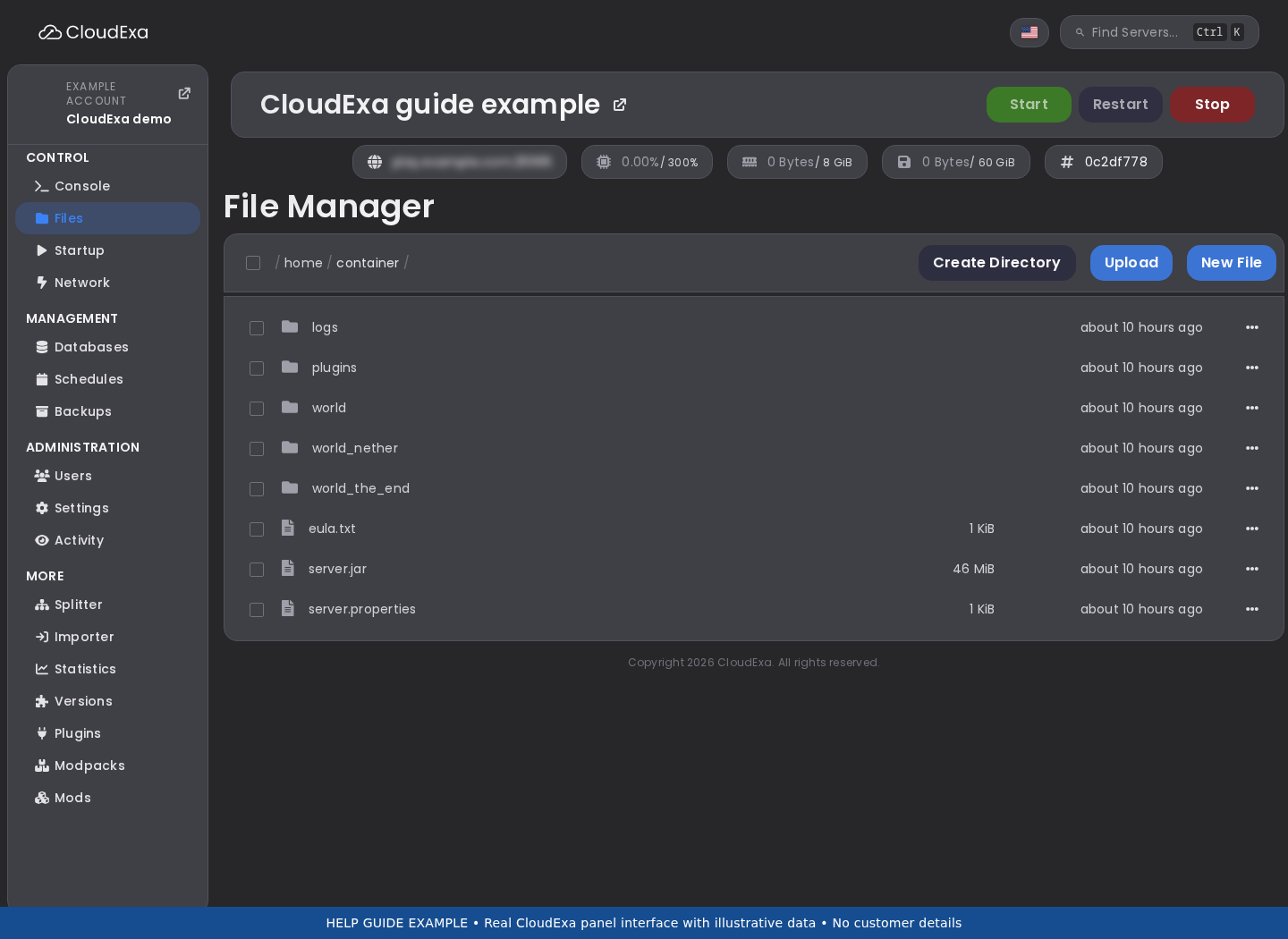
- Record the failing mob ID and the first skill name called by its definition. Search the downloaded configuration copy for that exact ID, including spelling and case.
- Make a simple reference map showing each called skill and the file that defines it. Note IDs defined twice and names that appear only as references.
- Read the startup or supported plugin-load errors from the first failure onwards. Correct one unresolved or duplicate definition on a staging copy, then repeat the same load.
- Trigger the shortest skill path that demonstrates the fix. Add nested branches back in sequence so a later failure does not hide the original reference problem.
Verify the result
Every referenced skill in the tested path should resolve to one intended definition. The server should load that path without a missing-skill error and execute the expected action once.
If the result differs
If a reference still fails, check whether the enclosing YAML structure prevented the definition from loading. A correctly spelled ID inside an invalid file remains unavailable to other skills.
Keep a recovery path
Restore the previous file layout from the content backup if moving files introduced the problem. Keep internal IDs stable during organisation work, and do not reset player or world data to fix a configuration reference.
References and related help
Check the maintainer reference: MythicMobs documentation.
Before changing live data, read how to keep a completed recovery copy. For startup errors, use the log collection guide.
Test MythicMobs equipment without changing live boss loot
A visible weapon or armour item on a custom mob does not establish what players will receive when it dies. Test equipment and death rewards as separate parts of the encounter.
Check the installed content
MythicMobs separates mob definitions, skills, targeters and triggers. Keep the internal IDs stable while testing a behaviour change; changing a display name does not require replacing the mob ID. Use documentation for your installed MythicMobs release.
Work through the change
- Copy the mob definition and record each equipment slot, item reference and explicit drop entry. Keep the copied encounter away from production spawning rules.
- Check that every custom item reference resolves in the installed release. Start with one equipment slot and a low-value test item before restoring the full appearance.
- Spawn the copied mob, inspect its visible equipment and observe its attacks. Kill it once through the intended player interaction and collect all dropped items.
- Compare the result with both the equipment configuration and the custom drop table. If needed, change only the release-supported equipment drop behaviour and repeat the test.
Verify the result
The mob should wear the intended items and give only the planned death rewards. A change to its appearance should not accidentally introduce a second high-value loot source.
If the result differs
If equipment looks wrong, verify the custom item itself on a player before investigating the mob slot. If the appearance works but loot doubles, trace explicit drops and other loot plugins separately.
Keep a recovery path
Restore the prior equipment and drop sections together if the change affected rewards. Record any real item distribution during testing; a configuration rollback cannot remove equipment or loot already collected.
References and related help
Check the maintainer reference: MythicMobs documentation, MythicMobs documentation.
Before changing live data, read how to keep a completed recovery copy. For startup errors, use the log collection guide.
Keep MythicMobs test summons inside an arena boundary
A custom summon can escape its encounter through a broad target location or repeated skill. Test the location selection and count limits before opening the arena to players.
Check the installed content
MythicMobs separates mob definitions, skills, targeters and triggers. Keep the internal IDs stable while testing a behaviour change; changing a display name does not require replacing the mob ID. Use documentation for your installed MythicMobs release.
Work through the change
- Choose a staging arena with clear edges and record the permitted summon positions. Keep natural spawning and valuable drops disabled for the test definitions.
- Inspect the targeter used by each summoning skill. Check whether it selects the caster, a player location or a set of locations in a radius.
- Trigger one summon with a player at the centre, then at each arena edge. Count entities and note their starting positions before allowing combat movement.
- Add the planned combat triggers one at a time. Test what happens when the target leaves the arena or disconnects, using only conditions supported by your installed release.
Verify the result
Each summon should begin at an intended location and the encounter should stop creating new entities when its target or lifecycle condition ends. Record the highest observed entity count during the test.
If the result differs
If summons appear outside, inspect target offsets and location filters. If positions are correct but entities later escape, investigate movement and arena design separately from the spawn target.
Keep a recovery path
Remove the disposable test encounter and restore its former skill reference if placement is uncertain. Avoid global entity-clear commands; keep a world recovery copy before adding summons that can damage blocks.
References and related help
Check the maintainer reference: MythicMobs documentation, MythicMobs documentation.
Before changing live data, read how to keep a completed recovery copy. For startup errors, use the log collection guide.