Jobs Reborn tasks
Task guides and troubleshooting for Jobs Reborn. Check the installed release before changing configuration or data.
- Separate Jobs Reborn money, experience and points rewards
- Test Jobs Reborn break-and-place rewards for a money loop
- Investigate a Jobs Reborn income limit that stops payments
- Audit Jobs Reborn bonuses before a double-pay event
- Check Jobs Reborn leave-and-rejoin level loss before changing jobs
- Back up Jobs Reborn membership and economy state consistently
- Trace a Jobs Reborn custom-mob action that pays nothing
- Review Jobs Reborn level-up commands before awarding a rank
Separate Jobs Reborn money, experience and points rewards
A job action can award experience or points without paying economy money. Compare each reward channel before changing a player’s balance or assuming the entire job has stopped working.
Before you start
Jobs Reborn tracks job membership, experience and rewards as well as money payments. Use a test player with a recorded level and balance. Some actions depend on optional integrations, so identify the job file and event before editing rewards.
Work through the check
- Record the test player’s job membership, level, job experience, points and economy balance before the action.
- Read the active job’s entry for one simple action and identify its money, experience and points rewards separately, including any level-based expression.
- Perform that action once in a permitted location with a normal account, then wait for the configured payout interval before checking each recorded value.
- Compare the observed changes with the job information and current bonuses; use the installed command help to inspect that job rather than editing the player record.
Confirm the result
Each enabled reward channel should change according to its own configuration. A zero money reward can be valid when experience or points are intentionally enabled.
If the result differs
If only money fails, inspect the Vault provider hook and payment logs. If every channel stays unchanged, check membership, action eligibility and region restrictions before replacing the economy plugin.
Recover safely
Restore the original reward entry if your test edit changes more than one channel. Reconcile the controlled test only; adding money manually cannot repair missing job experience or points.
Documentation and related help
Check the Jobs Reborn maintainer documentation and Jobs Reborn maintainer reference against your installed release before applying changes.
Test Jobs Reborn break-and-place rewards for a money loop
A positive break reward can become exploitable when players replace the same block repeatedly. Test the configured protection and reward policy on a small sample before opening a mining job publicly.
Before you start
Jobs Reborn tracks job membership, experience and rewards as well as money payments. Use a test player with a recorded level and balance. Some actions depend on optional integrations, so identify the job file and event before editing rewards.
Work through the check
- Copy the active job file and record the break and place entries for one inexpensive block, plus any relevant protection settings.
- Prepare a controlled area where the test account can build, keeping naturally generated blocks separate from blocks placed during the trial.
- Break one natural block and one player-placed block, recording money and job experience changes after each payout interval.
- Repeat a short place-and-break cycle and compare its net return with your intended policy; inspect the current release’s block information tools if protection tracking is unclear.
Confirm the result
Natural gathering should pay as intended, while a repeat placement cycle should not produce an unintended profitable loop. Any placement penalty must be understood before players build valuable structures.
If the result differs
Older troubleshooting examples can use material names from obsolete Minecraft versions. Match the current generated job example and installed protection behavior rather than copying an old block identifier.
Recover safely
Restore the previous reward entry or temporarily make the affected action nonpaying through documented settings while reviewing the exploit. Keep player balances and historical records intact for a measured reconciliation.
Documentation and related help
Check the Jobs Reborn maintainer documentation and Jobs Reborn maintainer reference against your installed release before applying changes.
Investigate a Jobs Reborn income limit that stops payments
A player can remain in a job after reaching an income limit. Check the configured limit period and actual earnings before granting a bypass or resetting their progress.
Before you start
Jobs Reborn tracks job membership, experience and rewards as well as money payments. Use a test player with a recorded level and balance. Some actions depend on optional integrations, so identify the job file and event before editing rewards.
Work through the check
- Record when the player last received money, their current job and level, and the exact limit message shown by the plugin.
- Inspect the active income-limit settings and applicable permissions for that release, distinguishing money limits from experience or points limits.
- Use a normal test account under the same policy and record each low-value eligible action until its behavior can be compared with the configured threshold.
- Check the documented reset period and server time, then repeat one eligible action after the limit should have cleared without changing job membership.
Confirm the result
Payment should stop and resume according to the intended limit policy. Job membership and unrelated progress should remain intact while a money limit is active.
If the result differs
A delayed economy payout can resemble a limit, but it normally has different messages and timing. Check payment batching and provider errors before removing a limit from every player group.
Recover safely
Restore any temporary narrow test permission after the trial. Do not reset production job data or issue an unrestricted bypass just to make one payment appear; preserve the observed totals for support.
Documentation and related help
Check the Jobs Reborn maintainer documentation and Jobs Reborn maintainer reference against your installed release before applying changes.
Audit Jobs Reborn bonuses before a double-pay event
A timed event may overlap with existing group, item or job bonuses. Measure the effective reward before advertising a multiplier so the event does not pay far more than intended.
Before you start
Jobs Reborn tracks job membership, experience and rewards as well as money payments. Use a test player with a recorded level and balance. Some actions depend on optional integrations, so identify the job file and event before editing rewards.
Work through the check
- Record the test player’s active job and level, applicable bonus permissions, held bonus items and current event settings.
- Inspect the job’s displayed bonuses using the documented bonus command for the installed release, and capture the ordinary reward for one reproducible action.
- Apply only the proposed event bonus on an isolated test server or a narrowly scoped trial, noting whether it affects money, experience, points or all three.
- Repeat the identical action with the same account and compare every reward channel, then test the documented event expiry or reset behavior.
Confirm the result
The observed effective reward should match your announced policy, and the bonus should end at the intended time without removing unrelated permanent bonuses.
If the result differs
Different bonus sources may combine differently from a simple multiplication assumption. Check the release documentation and measured result rather than compensating by changing the base job reward.
Recover safely
Remove the temporary event bonus using the supported reset control and verify the baseline returns. Preserve existing group bonuses and item data; do not clear all player progress to undo an oversized event.
Documentation and related help
Check the Jobs Reborn maintainer documentation and Jobs Reborn maintainer reference against your installed release before applying changes.
Check Jobs Reborn leave-and-rejoin level loss before changing jobs
Leaving a job may reduce or archive progress according to server policy. Explain the effective behavior before a player confirms a change they expected to be reversible.
Before you start
Jobs Reborn tracks job membership, experience and rewards as well as money payments. Use a test player with a recorded level and balance. Some actions depend on optional integrations, so identify the job file and event before editing rewards.
Work through the check
- Back up Jobs data and record the test player’s current job, level, experience and any archived job entry.
- Read the installed configuration for leaving penalties, archive retention and joining limits, including any group-specific exceptions.
- On an isolated copy, use the documented leave control for that single test job, then inspect the resulting archive and displayed level.
- Rejoin the same job through the supported command and compare restored progress, slot availability and action rewards with the original record.
Confirm the result
The trial should show exactly which progress is retained, reduced or unavailable after rejoining. Publish that policy before encouraging customers to switch jobs.
If the result differs
A job name change or different UUID can resemble a lost archive. Check identity and internal job names before deciding that the plugin discarded the record.
Recover safely
Restore the isolated dataset when repeating the trial. If a live player has already changed jobs, preserve their current data and backup before using any documented correction command; do not overwrite the full database with an older copy.
Documentation and related help
Check the Jobs Reborn maintainer documentation and Jobs Reborn maintainer reference against your installed release before applying changes.
Back up Jobs Reborn membership and economy state consistently
Jobs progress and economy balances can live in separate stores. A consistent backup should make clear which dataset contains membership and which contains money before a plugin or database migration.
Before you start
Jobs Reborn tracks job membership, experience and rewards as well as money payments. Use a test player with a recorded level and balance. Some actions depend on optional integrations, so identify the job file and event before editing rewards.
Work through the check
- Identify the active Jobs storage backend, its database or local data location, and the separate economy provider holding balances.
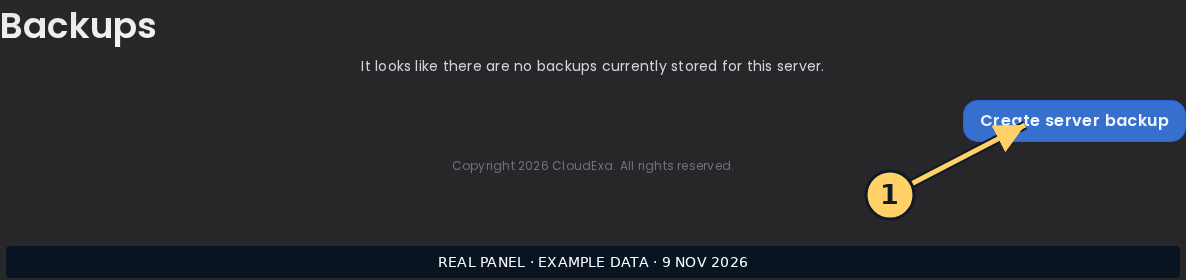
- Pause job activity for the checkpoint and use supported server-save and database-backup procedures; record any payout queue behavior for your release.
- Save Jobs configuration, player progress and the matching economy checkpoint, keeping credentials outside any public troubleshooting bundle.
- Restore into an isolated server with independent database names, then inspect one player’s job level and complete one low-value action to verify both progress and money updates.
Confirm the result
The test restore should retain the same membership and progress and pay through its isolated economy provider. It must not write test rewards into the production database.
If the result differs
Copying a database file while it is being written may produce an inconsistent checkpoint. Follow backend-specific backup guidance rather than assuming that a copied jar and config preserve player progress.
Recover safely
Keep the original backups immutable and restore matching copies for further trials. Do not push an older Jobs database over current player activity simply because a new economy connection fails.
Documentation and related help
Check the Jobs Reborn maintainer documentation and Jobs Reborn maintainer reference against your installed release before applying changes.
Trace a Jobs Reborn custom-mob action that pays nothing
A custom mob kill may use an integration-specific action instead of the ordinary entity action. Identify the event and reward entry before adding duplicate payments to multiple job sections.
Before you start
Jobs Reborn tracks job membership, experience and rewards as well as money payments. Use a test player with a recorded level and balance. Some actions depend on optional integrations, so identify the job file and event before editing rewards.
Work through the check
- Record the custom mob’s internal identifier, the integration plugin versions and the test player’s active job.
- Compare the installed Jobs example and supported integration list with the active job entry; distinguish ordinary kill rewards from custom-mob actions.
- Kill one eligible low-value test mob in an allowed area and record money, experience, points and the relevant log timestamp.
- Repeat with an ordinary mob of the underlying entity type to establish whether the failure is the custom integration or the entire kill reward path.
Confirm the result
The eligible custom action should use the intended reward entry once. The ordinary-mob control should help explain whether general job payment remains healthy.
If the result differs
Display names are not necessarily internal mob identifiers. If the integration failed during startup or does not support the installed versions, editing the payout number will not make its event fire.
Recover safely
Restore the original job entry if the trial creates double rewards. Keep the custom and ordinary tests separate, and preserve logs rather than changing every kill section at once.
Documentation and related help
Check the Jobs Reborn maintainer documentation and Jobs Reborn maintainer reference against your installed release before applying changes.
Review Jobs Reborn level-up commands before awarding a rank
Level-up rewards can run privileged commands. Test the exact target and execution context so a reward grants the intended rank without exposing administrative command access to players.
Before you start
Jobs Reborn tracks job membership, experience and rewards as well as money payments. Use a test player with a recorded level and balance. Some actions depend on optional integrations, so identify the job file and event before editing rewards.
Work through the check
- Copy the active job reward section and identify the level threshold, command text and documented player placeholder for your release.
- Check which console or player context executes the reward, and restrict the command to the specific rank operation needed by the permissions plugin.
- Use an isolated test account with no administrative rights and advance it through one reward threshold using documented test controls.
- Inspect the resulting permission group, any economy charge and logs, then test relogging and a nearby level to check whether the reward repeats unexpectedly.
Confirm the result
Only the intended account should receive the documented reward at the intended threshold. The player should not gain permission to execute the administrative command directly.
If the result differs
An unresolved placeholder can target a literal name or fail silently. Confirm the generated command in a private test log and redact identifiers before sharing a support report.
Recover safely
Restore the saved reward configuration and remove only the test account’s unintended rank if needed. Do not grant wildcard command permissions or replay all level rewards against existing players.
Documentation and related help
Check the Jobs Reborn maintainer documentation and Jobs Reborn maintainer reference against your installed release before applying changes.